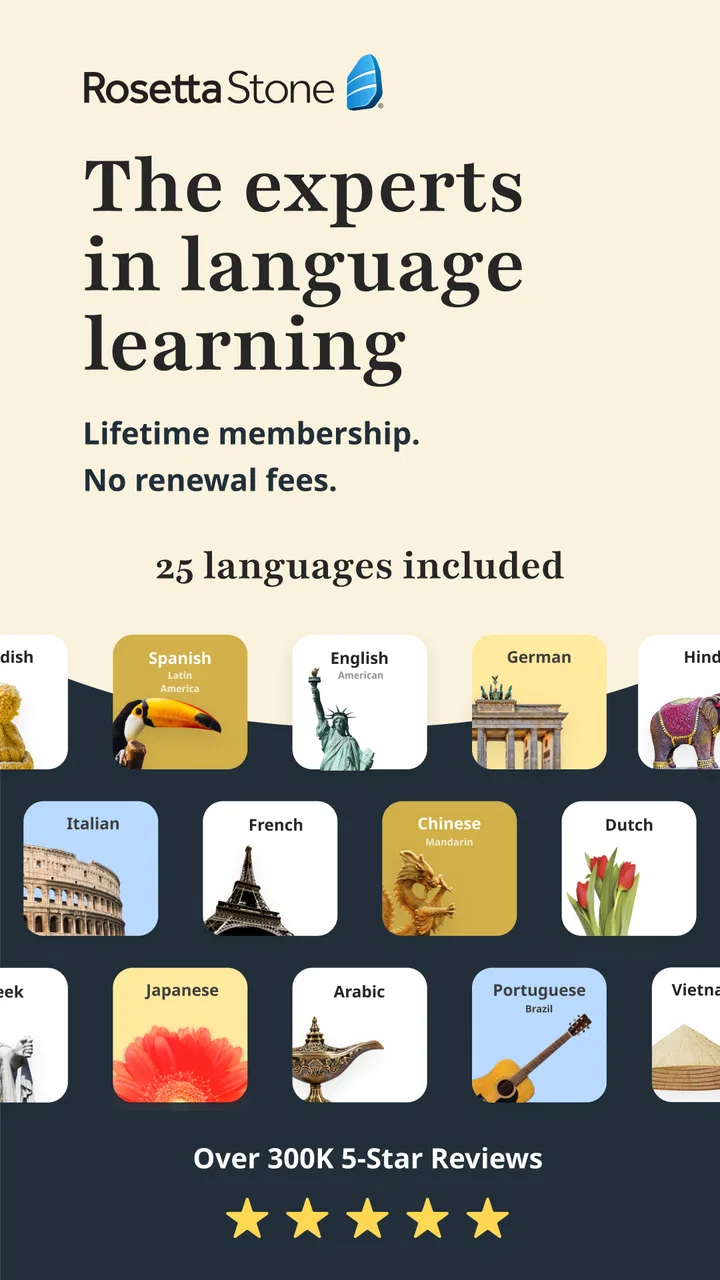
Rosetta Stone Classic (2024)
- 4.6
- Rating
- 10.00M
- Installs
- Free
- Price

 Analysis by App-foxy
I approached Rosetta Stone as a language-learning app I might keep on my phone for months, not just something to open once out of curiosity. That distinction matters. Many language apps are excellent at creating a lively first session, then become less useful when the initial excitement fades. Rosetta Stone takes a quieter route: it asks me to build understanding through repeated exposure, listening, pronunciation practice, and visual connections. I found that approach rewarding when I gave it regular attention, but less satisfying when I wanted quick explanations or a fast list of phrases for an upcoming trip.
This is an education app from Rosetta Stone Ltd, available free to install for everyone, with optional in-app purchases ranging from $0.99 to $299.99 per item. Its language offering includes English, Spanish, French, German, Chinese, and Japanese. The app has been available since March 27, 2013, and its current version is 8.35.0 for devices running iOS 11 or later. Those details place it in an interesting position: it is an established learning tool with broad recognition, but its real value still depends on whether its learning style matches the way I like to study.
What the first week feels like
My first impression was that the app wants me to notice patterns rather than translate every sentence immediately. Lessons commonly connect images, spoken words, and written language, encouraging me to infer meaning from context. That can feel slightly uncomfortable at the beginning, especially if I am used to apps that label every grammar point in plain English. At the same time, it makes the early sessions feel more like active discovery than passive reading.
You May Also Like

 Blood Strike: 2.5 Anniversary
Blood Strike’s Loadouts Turn Every Drop Into a Tactical Gamble
A close look at Blood Strike’s custom loadouts: how fast access to signature weapons reshapes its battle royale rhythm, rewards preparation, and narrows the gap between fights.

 Pandora - Music & Podcasts
Pandora’s Music Is Easy to Start, but Harder to Recover
Pandora’s strength is its low-effort path from a seed to a station. Its weak spot is how much confidence it asks you to place in connection, setup, and quiet recovery.

 8 Ball Pool
 Is Built on Rivalries, Rematches, and Routine
A close look at the rivalries, rematches, shared routines, and unanswered safety questions that turn a quick pool match into a persistent mobile community.

 Samsung Music
’s Quiet Strength Is Playing What You Already Own
Its reach comes less from spectacle than from dependable access to a personal library. That simplicity is both the app’s strongest retention engine and its ceiling.

 AccuWeather: Weather Radar
AccuWeather Review: A Quick, Clear Forecast for Everyday Decisions
For everyday plans, the best forecast is the one you can understand quickly. AccuWeather makes rain timing, radar, and local conditions easy to act on, with a few trade-offs.

 Hill Climb Racing
Why Hill Climb Racing Still Turns Crashes Into One More Run
A tiny car, a bumpy hill and one more upgrade: Hill Climb Racing keeps resurfacing because its simple chaos makes every near-miss feel personal.
More From Our News Desk



The first week is where the app has its strongest novelty. I can move from recognizing individual words to understanding short combinations without constantly switching to a dictionary. The visual approach is especially useful for concrete vocabulary, such as food, places, objects, and everyday actions. I found myself remembering words more reliably when I attached them to a clear image and sound instead of seeing an isolated translation.
Pronunciation work gives the opening sessions a practical focus. I can listen, repeat, and compare my attempt with the model. This is more useful than silently memorizing vocabulary because it makes me pay attention to rhythm and sound. I would not treat the feedback as a replacement for a teacher, but it gives me a private space to practice without feeling self-conscious. That makes the app a good fit for someone who understands a little of a language but hesitates to speak aloud.
One tip made a noticeable difference for me: I used the microphone exercises when I was alone and repeated difficult phrases several times instead of accepting the first pass. The temptation is to tap through a lesson as soon as the app recognizes an answer. Slowing down is better. If a phrase feels awkward, I repeat it at a natural pace, then once more while focusing on the ending sounds. This turns a simple exercise into deliberate speaking practice.
The early experience is also helped by the app’s clean, focused structure. There are fewer distractions than in many language products built around games, streak pressure, or constant rewards. That may sound like a small detail, but it changes the mood of study. I am less likely to open it for entertainment and more likely to use it when I have decided to work on a language.
Still, the first week exposes an important limitation. The visual method can leave me wanting a direct explanation. If I encounter a sentence pattern and wonder why the word order works that way, the app may encourage me to absorb the pattern through examples rather than explain the rule in a traditional lesson. Some learners will appreciate that instinctive process; others will feel they are guessing. I would choose a more grammar-forward course if understanding the reason behind every construction is central to my motivation.
Who benefits most from the early lessons
I think beginners who want a calm, structured introduction will get the most from the opening experience. It is also useful for returning learners who have forgotten basic vocabulary and need to rebuild confidence. The app does not require me to perform in front of other people, so it works well for private practice during a commute, a lunch break, or a quiet evening at home.
It is less convincing for someone who needs survival language immediately. If I were leaving for a trip in a few days, I would want a focused collection of phrases for transport, emergencies, restaurants, and directions, with cultural notes and quick translations. Rosetta Stone can support a longer learning plan, but I would combine it with a travel phrase resource rather than rely on it alone for urgent preparation.
Whether the value survives the first month
After the first month, the question changes from “Is this interesting?” to “Am I actually retaining anything?” In my experience, the answer depends heavily on consistency. The app is not designed to create a dramatic transformation from occasional use. Its strength is cumulative: words and sentence patterns become more familiar when I return often enough for earlier material to remain active.
I found the audio-centered practice particularly valuable during this stage. Reading can give me a false sense of progress because written words are easier to recognize than spoken language. Listening repeatedly forces me to deal with normal speed, connected sounds, and the difference between identifying a word on a screen and understanding it in real time. That is one reason I would keep this app in a longer study routine even if I used another resource for grammar reference.
A realistic everyday routine would be a short session after breakfast, followed by a few minutes of speaking practice while walking later in the day. I would not try to complete a large amount of content at once. Instead, I would revisit a recent lesson before moving forward, especially if I noticed that I could recognize answers but could not produce them independently. This simple change helps reveal whether I am learning or merely selecting familiar options.
Another useful workflow is to separate recognition from production. During the lesson, I first answer without looking for clues. Later, I say the phrase aloud before checking the expected response. This makes the app harder, but it also exposes weak spots that multiple-choice-style recognition can hide. I would keep a small personal list of phrases that repeatedly cause trouble, then use those phrases as prompts for speaking practice away from the app.
The month-to-month value is strongest for learners who want a foundation in one language rather than a sampler of many. The app supports several language choices, but dividing attention between multiple courses can make progress feel shallow. I would begin with one language, establish a stable routine, and only consider adding another after the first has become part of my regular week.
Its broad adoption is reassuring without being decisive. The app holds a 4.6 average from around 403 thousand ratings, with more than 10 million installs. Those figures suggest that many people find the product worthwhile, but they do not tell me whether its method suits my goals. A popular course can still be the wrong course for someone who needs conversational tutoring, detailed grammar instruction, or rapid travel preparation.
How it compares with familiar alternatives
Compared with heavily gamified language apps, Rosetta Stone feels more concentrated and less playful. I am less likely to chase points or maintain a streak for its own sake, which can be a benefit if I want study time to feel purposeful. On the other hand, people who need constant rewards to return every day may find the experience less motivating.
Compared with a textbook, it gives me more immediate listening and pronunciation practice. A book can explain grammar more clearly and may be easier to search when I need a specific rule. Rosetta Stone is better at making me hear and say the language, while a textbook is often better at giving me a map of how the language is built. I would use the app as the active practice layer and a reference book as the explanation layer if I wanted a more complete plan.
Compared with private lessons or conversation exchanges, it is more convenient and less socially demanding. I can repeat a difficult sound without worrying about wasting another person’s time. But no automated exercise can fully recreate the unpredictability of a real conversation. If my main goal is to handle spontaneous discussion, I would eventually add a tutor, exchange partner, or speaking group.
Compared with free videos and scattered online lessons, the app offers a more coherent path. That organization saves time because I do not have to decide what to study next. The trade-off is that a fixed course may not match a very specific personal objective. Someone learning vocabulary for nursing, business negotiations, or a particular exam may need specialized material alongside it.
The maintenance burden after novelty fades
Long-term usefulness depends less on installation and more on maintenance. The app is easy to open, but keeping progress alive requires a routine that fits real life. I would rather complete a modest session several times a week than plan ambitious study blocks that I repeatedly postpone. The product rewards regular contact, not occasional bursts of enthusiasm.
The main maintenance burden is mental rather than technical: I have to remember to revisit material instead of always chasing new lessons. New content feels productive, but old content is where retention is tested. I recommend setting aside one session each week for review and speaking, even when the app is ready to move forward. That review prevents the common problem of recognizing a lesson when it appears on screen but forgetting the vocabulary in a different context.
Short sessions also make the app easier to preserve as a habit. I might use it before checking social media in the morning, during a predictable waiting period, or just before bed. The important point is to attach it to an existing routine rather than depend on motivation. If I only open it when I feel inspired, it becomes another abandoned learning project.
People often wonder whether the free installation means the full learning experience is free. The app itself costs nothing to download, but the presence of in-app purchases means access to the complete course experience may involve payment. I would inspect the available plan and renewal terms carefully before committing, particularly because the possible purchase amounts extend from small additions to a much larger one-time item. The right choice depends on how seriously I intend to study and how long I expect to stay with one language.
The age rating is Everyone, which fits the straightforward educational presentation. Parents may still want to decide how much independent study is appropriate for a child, especially because language progress depends on attention and repetition rather than simply opening the app. For adults, the accessible presentation makes it easy to begin without feeling that the material is overly academic.
Where fatigue begins
The same repetition that supports memory can eventually feel predictable. I sometimes wanted more variety in the types of tasks, especially after practicing similar vocabulary for several sessions. This is not a flaw in the learning principle itself, but it can make the routine feel mechanical. Switching the time of day, speaking answers aloud, or pairing the lesson with outside listening can help prevent that feeling.
Another source of fatigue is ambiguity. When I infer meaning from pictures, I may understand the general idea without knowing the exact distinction between two related words. If the app expects a particular response, an exercise can feel less like communication and more like decoding the intended answer. I found it helpful to treat those moments as prompts to investigate later rather than as proof that I had failed.
Pronunciation practice can also become frustrating when I expect a simple pass-or-fail judgment to explain what needs improvement. The microphone activity is useful for encouraging repetition, but I still need my own judgment about stress, clarity, and natural rhythm. Recording myself outside the lesson and listening back is an effective companion habit, although it requires extra effort.
The app may not be the best choice for learners who need cultural context, current conversation, or highly personalized correction. Its structured method gives me a dependable foundation, but it does not replace exposure to real speakers. I would look elsewhere if my priority were slang, regional variation, professional terminology, or immediate feedback from a human instructor.
My long-term verdict on keeping it installed
For me, Rosetta Stone earns lasting space when I use it as a steady foundation rather than a complete language life. It is particularly good at bringing together visual meaning, listening, pronunciation, and repeated exposure in one organized experience. I can see why it has remained relevant since its release: the method is disciplined, recognizable, and practical for people who want a guided path without joining a class.
I would recommend it to a beginner who prefers learning through examples, an adult rebuilding a forgotten language, or a quiet learner who wants private speaking practice. I would also recommend it to someone who values a structured course more than a stream of games and rewards. The strongest results will come from choosing one language, returning regularly, and treating review as essential rather than optional.
I would advise skipping it, or using it only as a supplement, if I needed fast travel phrases, detailed grammar explanations, specialized vocabulary, or frequent live conversation. A tutor, textbook, phrase guide, or conversation service may serve those goals better. The app’s calm, immersive style is not automatically superior; it is simply better suited to certain learners.
My final judgment is positive but measured. The first week is appealing because the visual and audio approach makes basic learning feel approachable. The following months can deliver real value, but only if I accept repetition and build a sustainable habit. The recurring cost deserves attention before purchase, and the lack of instant explanations or human conversation may become noticeable over time. Even so, for someone willing to practice consistently, this remains a serious education app rather than a novelty. I would keep it installed for long-term maintenance, while using other resources to supply the conversation, context, and specialized detail it does not aim to provide.
FAQs for Rosetta Stone Classic (2024)
01What languages can I learn with Rosetta Stone?
Rosetta Stone offers a wide range of languages, including Spanish, French, German, Italian, and Mandarin. The app provides lessons in over 20 languages, catering to both beginners and advanced learners. Its immersive method focuses on practical vocabulary and speaking skills, making it suitable for various language learning goals.
02How does Rosetta Stone's teaching method work?
Rosetta Stone uses a unique immersive approach, emphasizing visual and auditory cues to teach vocabulary and grammar. This method mimics natural language acquisition, helping users to think and respond in the target language without relying on translations. Interactive lessons and speech recognition technology enhance pronunciation and conversational skills.
03Is Rosetta Stone suitable for beginners?
Yes, Rosetta Stone is designed for learners of all levels, including complete beginners. The app starts with foundational vocabulary and gradually progresses to more complex concepts. Its intuitive interface and structured lessons make it easy for newcomers to dive into a new language and track their progress effectively.
04Can I use Rosetta Stone offline?
Yes, Rosetta Stone allows users to download lessons for offline use. This feature is particularly useful for learners who want to study on the go without needing a constant internet connection. Simply download the desired lessons in advance and access them anytime, anywhere, ensuring uninterrupted learning.
05What devices are compatible with Rosetta Stone?
Rosetta Stone is compatible with a variety of devices, including smartphones, tablets, and desktops. Users can access the app on both iOS and Android platforms, making it versatile for different learning environments. The app synchronizes progress across devices, ensuring a seamless learning experience.
Pros
- Extensive language selection available.
- User-friendly interface for easy navigation.
- Speech recognition improves pronunciation.
- Offline mode for learning on the go.
- Cultural insights enhance learning experience.
Cons
- Subscription cost can be high.
- Limited grammar explanations.
- Advanced learners may find it basic.
- No option for dialect variations.
- Requires internet for initial setup.

Rosetta Stone Classic (2024)
Gallery